

On 22Bet, account verification is a one-time process. Most users complete it in under 24 hours by submitting the required documents. Understanding how verification works from the start avoids delays. This guide explains what documents you need and how to complete each step quickly.
Why Account Verification Is Required on 22Bet
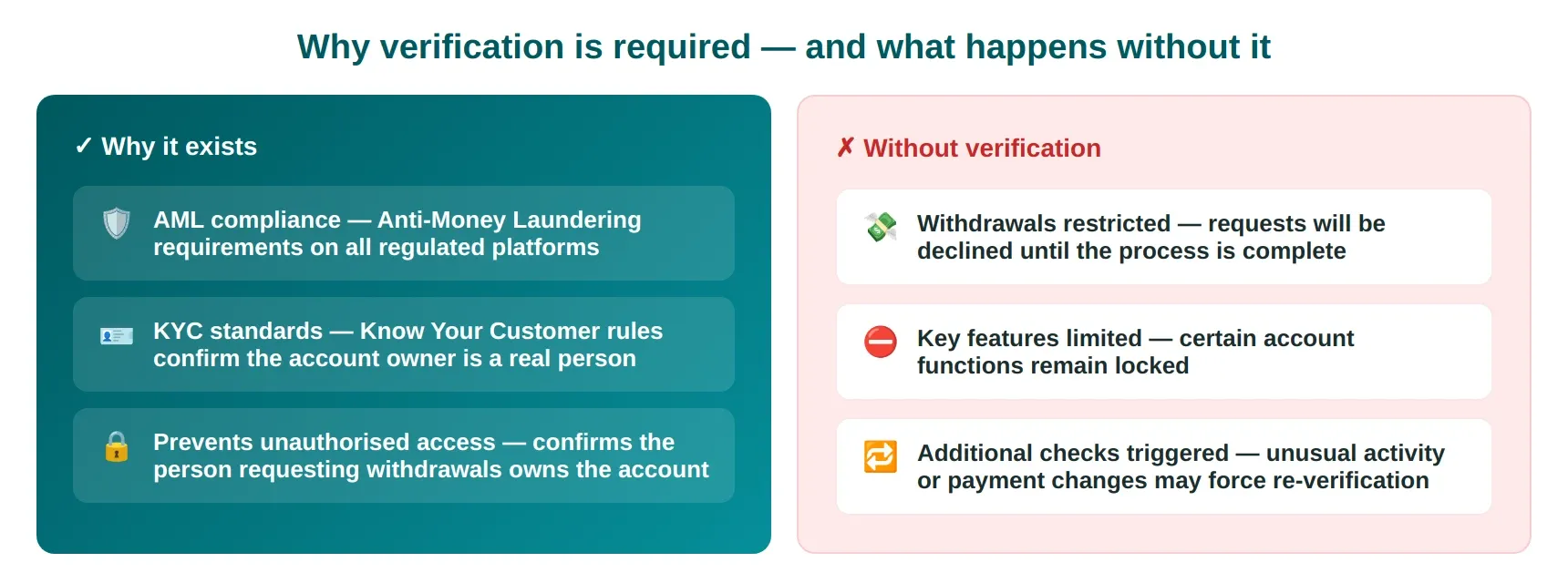
Account verification is necessary on the 22Bet platform to confirm a user’s identity and protect against unauthorised access. The process helps support compliance with AML (Anti-Money Laundering) and KYC (Know Your Customer) requirements commonly used in regulated betting platforms.
Without verification, key features like withdrawals may be restricted, as the platform must confirm that the account owner is the person making the request.
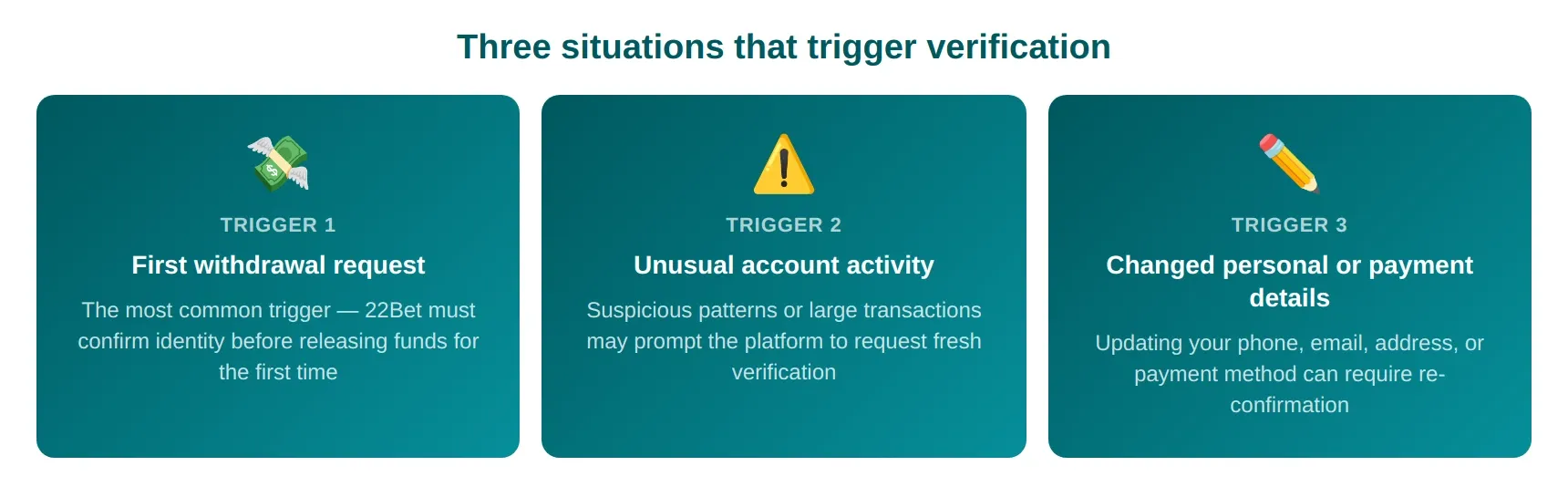
When You Need to Verify Your 22Bet Account
Documents Required for 22Bet Verification
To complete verification on 22Bet, users must submit standard KYC documents to confirm their identity.
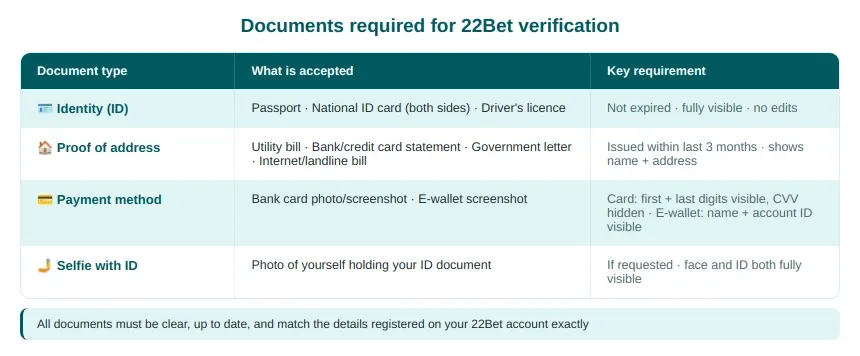
Identity Verification – Accepted ID Documents
To complete identity checks, 22Bet will request documents that meet its verification policy. Commonly accepted documents include:
- Passport.
- National ID card (both sides, if applicable).
- Driver’s license.
Each document must be valid (not expired) and fully visible in the uploaded image. 22Bet will reject cropped photos, low-quality scans, or edited files.
Proof of Address – What Documents Are Accepted?
To confirm your residential details, 22Bet requires a valid proof of address document during the verification process. You’ll need to upload a recent form that clearly shows your name, address, and issue date, such as:
- Utility bills issued within the last 3 months.
- Bank or credit card statements with your full, current address.
- Official government letters or tax documents.
- Internet or landline service bills.
Payment Method Verification on 22Bet
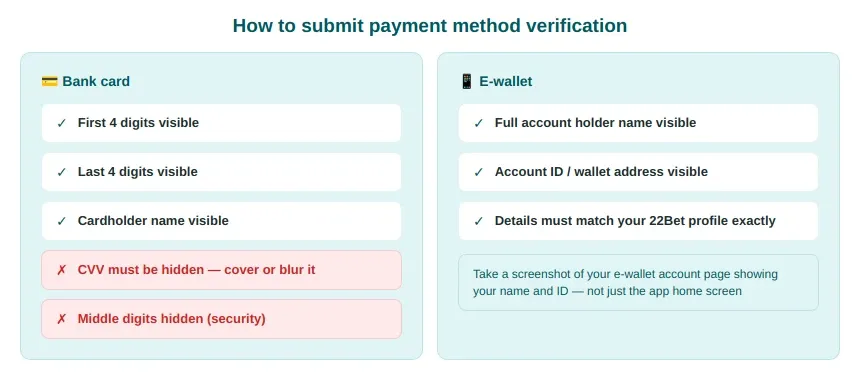
This process usually involves submitting a screenshot or photo of the payment option, such as a bank card or e-wallet.
For bank cards, sensitive details like the CVV code must be hidden, while the first and last digits of the card number remain visible. If you use e-wallets, the screenshot should display your name and account ID. The information must match your 22Bet profile exactly.
These methods help prevent unauthorised withdrawals and confirm that the account holder is conducting transactions.
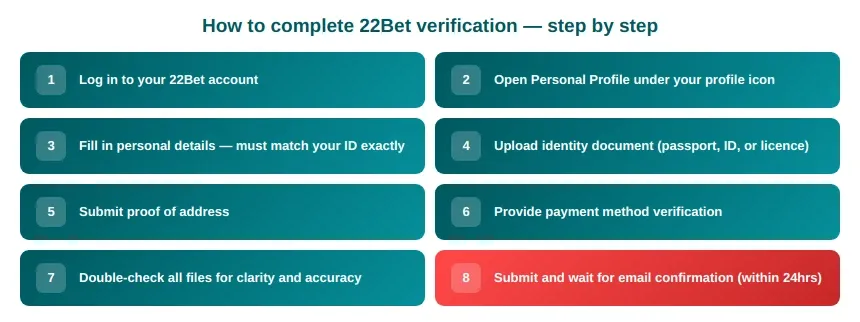
Step-by-Step Guide to Completing 22Bet Verification
Follow these steps to verify a 22Bet account:
How Long Does 22Bet Verification Usually Take?
The verification process can be completed within 24 hours, though timing may vary, depending on the volume of requests and the accuracy of submitted documents. In some cases, additional checks may extend the process if the team needs to confirm an account status.
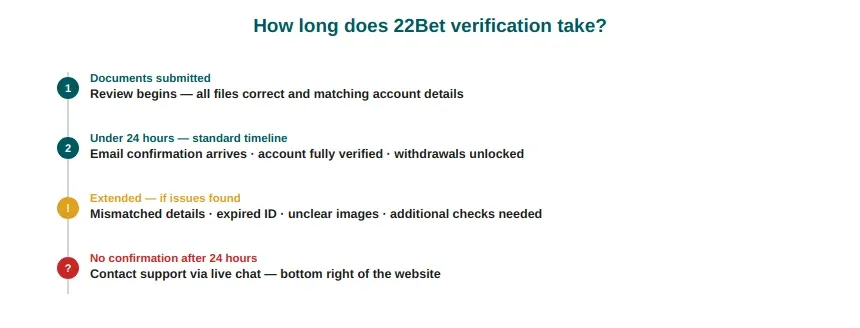
Delays occur when documents do not meet the compliance requirements, such as mismatched personal details, expired IDs, or unclear images. Once everything is correctly submitted, confirmation typically arrives by email within 24 hours. If no confirmation is received after 24 hours, contact support via live chat, which is located at the bottom right side of the website.
Common 22Bet Verification Problems and How to Fix Them
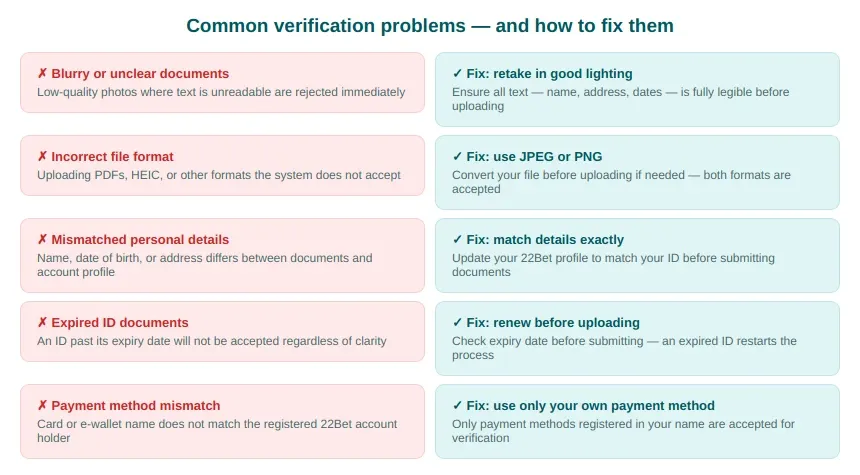
Verification on 22Bet usually goes smoothly, but some users face delays or rejections. These issues can also overlap with a 22Bet deposit problem or 22Bet login problem, especially when payment details do not match account information. Below are the most common cases and how to resolve them:
Tips to Pass 22Bet Verification Faster
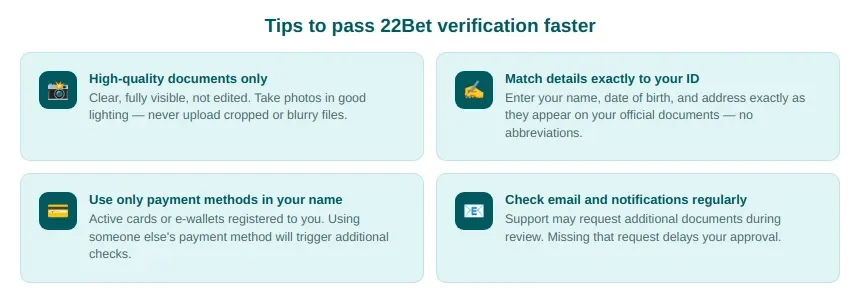
Passing verification on 22Bet becomes much quicker when you follow clear guidance from the start and avoid common mistakes. Make sure all your documents are high-quality, fully visible, and not edited in any way before uploading. Enter your personal details exactly as they appear on your ID.
Only use active and registered payment methods under your name. This reduces the chance of additional checks. Finally, check your email and 22Bet account notifications regularly, as the support team may request additional documents during review.