

Keeping your 22Bet account details up to date is essential for smooth access and fast verification. If your phone number or email is outdated, you can run into issues with login, withdrawals, or identity checks. This guide shows useful 22Bet tips on how to update your details on the platform and avoid common mistakes.
Why You Might Need to Update Personal Information on 22Bet
Most users update their details after changing their phone number or email. If your old contact information is still linked to your account, you may not receive login codes or security alerts.
Verification is another key reason. Your name, date of birth, and country must match your official documents. Even small differences, like abbreviations or spelling variations, can delay approval.
You’ll also need to update the details after moving to a new country or if you want to secure your account after suspicious activity.
Where to Find Personal Information Settings in Your 22Bet Account
After logging in, open your profile from the top corner of the screen. Inside the “Personal Profile” section, you’ll see all stored account details, including your email, phone number, and address.
Each editable field has a small pencil icon. Clicking it opens an input field where you can enter new information. Some fields will be locked if they were verified during the 22Bet registration process.

How to Change Your Email Address on 22Bet
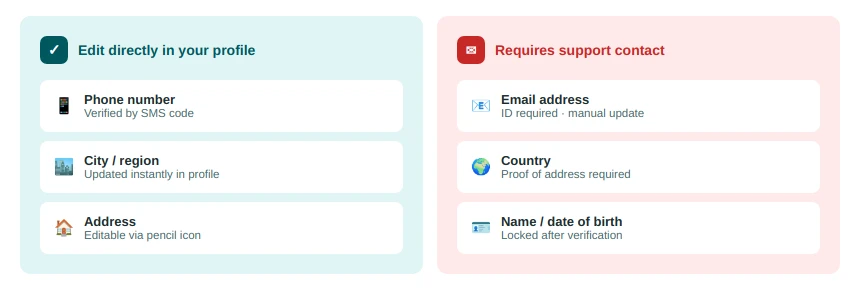
You cannot change your 22Bet email address directly from your profile. This is a security restriction.
- Contact support at support-en@22bet.com
- Provide your new email address.
- Upload clear photos of your passport or national ID (both sides).
Once your request is approved, your email will be updated manually.
How to Update Your Phone Number on 22Bet
Updating your 22Bet phone number is straightforward and handled directly in your profile. Go to your personal information section and click on your current number. Enter the new phone number and save the change.
A verification code will be sent via text message. SMS authentication confirms the change. Make sure the number is active and accessible.
How to Update Address and Country Settings
You can edit your city or region directly in your profile. However, changing your country requires contacting support. Country details affect:
- Payment methods.
- Currency.
- Verification requirements.
To request a country change, submit documents such as a passport or proof of address (e.g., utility bill or bank statement). Approval is granted after verification.
Step-by-Step Guide to Editing Personal Details on 22Bet
Follow these steps to update your information inside your account:
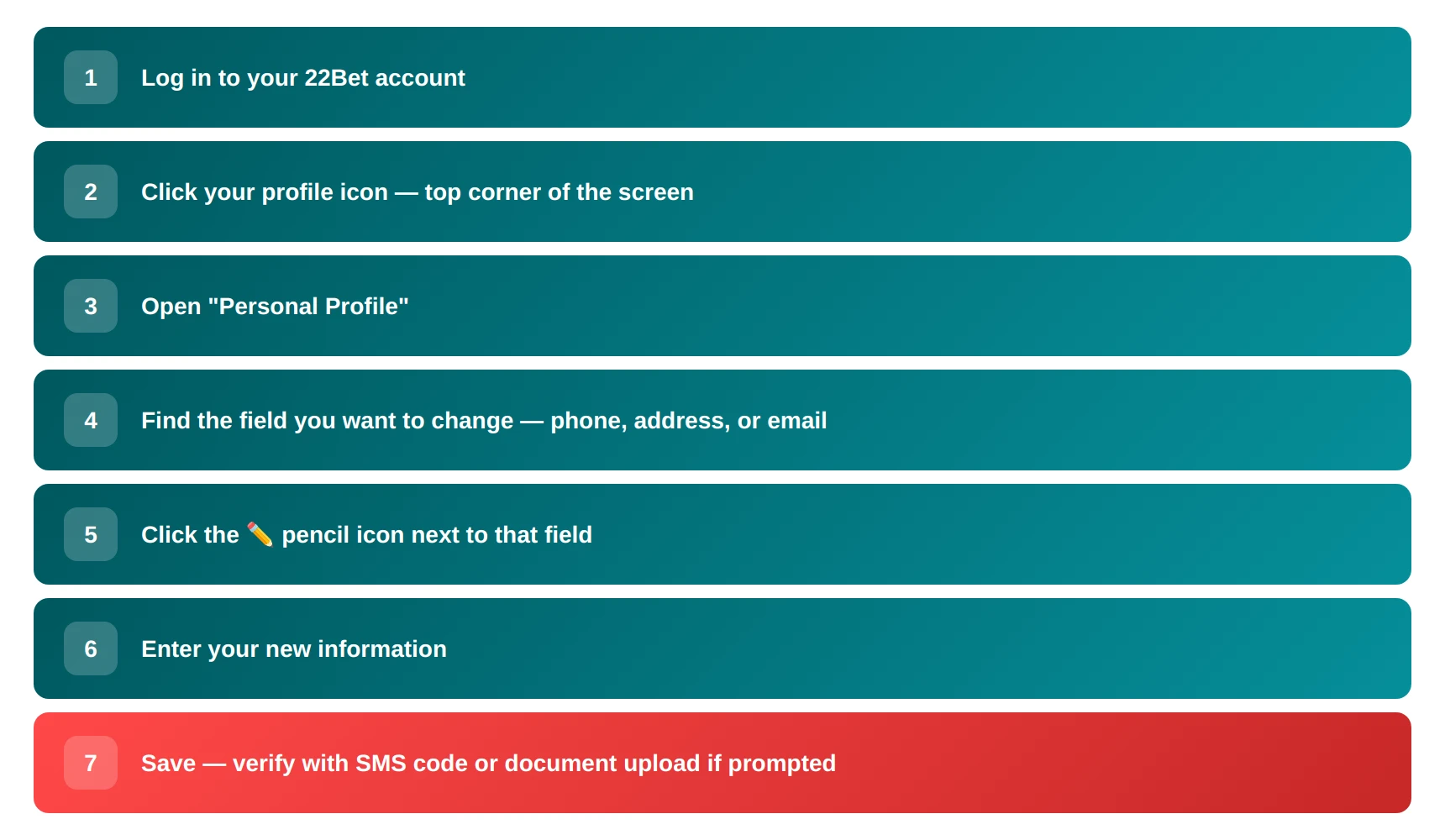
Your changes will apply after verification if required.
Verification Requirements When Updating Account Information
When you update specific details on the 22Bet platform, verification is triggered. You’ll need to upload the following documents to the dashboard:
- Passport or national ID.
- Proof of address (if required).
Documents must show all details clearly. Blurred or cropped images are rejected, which delays approval. Always double-check before submitting.
What to Do If You Can’t Edit Your Personal Info
If you can’t change certain details directly, it’s usually because those fields are locked for security reasons. Information like your name and date of birth is tied to verification, so it cannot always be edited manually. In this case, you should get in touch with customer support. You may also be asked to confirm your password before changes are applied.
Contacting 22Bet Support for Profile Changes
If you cannot edit certain fields in the interface, contact support. You can communicate through these channels:
- Live chat on the website, located at the bottom right side.
- Contact form in the Help section.
- Email: support-en@22bet.com.
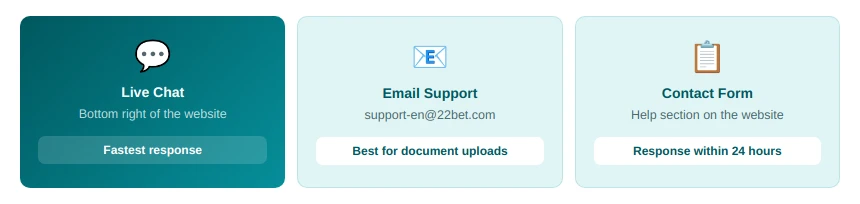
Most requests are answered within 24 hours, depending on the support workload. Include your account details and documents to speed up the process.
Common Problems When Updating 22Bet Account Details
Most issues come from incorrect or mismatched data. For example, entering a username instead of your legal name leads to verification failure. Frequent edits can also prompt security checks and temporarily lock your account fields.
Another common issue is poor document quality. If your files are unclear or incomplete, the system rejects them. Always upload high-quality images and verify your details before saving.